
Upgrade from Ghost 5 to Ghost 6

A new version of Ghost went out a few months ago, and it was finally time to update! While browsing the Ghost GitHub repository, I noticed that the compose file had been updated. Since I’m self-hosting Ghost and running it on Docker, this seemed like the perfect opportunity to upgrade.
Step 1: Backup Everything
Since I’m using Docker volumes for persistence, I simply backed up the entire Ghost directory on my s which contains all the volumes:
# Create a timestamped backup of the entire Ghost directory with volumestar -czf ghost-backup-$(date +%Y%m%d).tar.gz /path/to/ghost/This approach captures:
- The database volume with all MySQL/MariaDB data
- The content volume with images, themes, and configuration
- The docker-compose.yml file itself
- Any environment files or additional configurations
Simple, effective, and ensures everything needed for a full restore is in one archive.
Step 2: Update the Compose File
The update itself was remarkably simple. In my docker-compose.yml file, I just needed to change the image tag:
# Beforeimage: ghost:5-alpine
# Afterimage: ghost:6-alpine
Step 3: Deploy with GitOps
Since I’m using a GitOps workflow with my infrastructure:
git add docker-compose.ymlgit commit -m "feat: upgrade Ghost from v5 to v6"git pushMy CI/CD runner picks up the changes automatically and handles the deployment. The magic happens in the shadows, and within minutes…
Step 4: Verification
After the deployment completed, I checked:
- The Ghost admin panel showed version 6.x ✓
- All posts and content intact ✓
- Theme compatibility working ✓
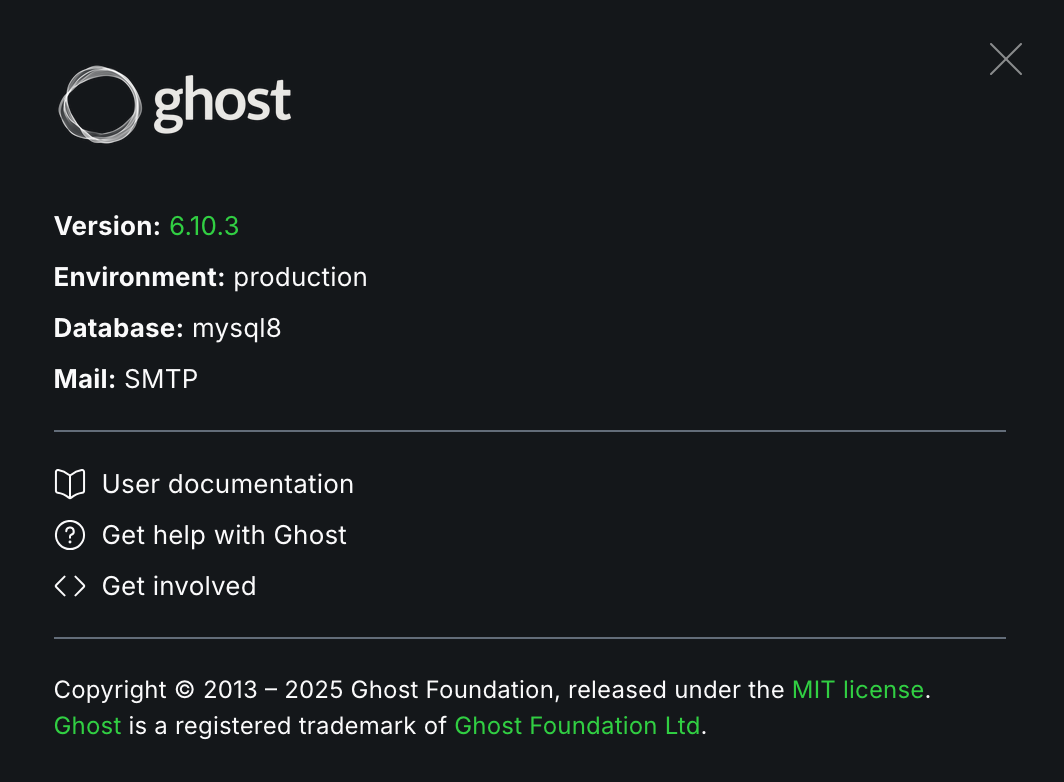 Ghost update to version 6
What If Something Goes Wrong?
While my upgrade was smooth, always be prepared for rollback:
# Stop the containersdocker-compose down
# Restore from backup if neededtar -xzf ghost-backup-YYYYMMDD.tar.gz -C /
# Revert the image tag in docker-compose.ymlimage: ghost:5-alpine
# Bring everything back updocker-compose up -d
Conclusion
Upgrading Ghost from 5 to 6 when self-hosting with Docker is refreshingly simple. If you’re still on Ghost 5 and running Docker, there’s really no reason to wait. Just remember: backup your volumes, update the image tag, deploy, and enjoy !
See you next time !
Yacine